Attention!
JavaScript is disabled in your browser, so some parts of the site will not display correctly.
To make the view correct, please, enable JavaScript
Site menu
Main page
Server rules
Contact us
Ресурсы GoldSource
Games
Walkthrough
Builds servers
AMXX Plugins
Half-Life
Counter-Strike
Online compiler
Mods
Programs
Mapping
Modelling
Texturing
Tutorials
Mapping
Modelling
Texturing
For server
Skins
Skins Counter-Strike 1.6
News
Maps
Monitoring
Half-Life
Counter-Strike
Minecraft
Add server
Online compiler
Register nickname
[DS]: Half-Life Server
[DS]: CS:S GunGame v34 Server
[DS]: CS:S v34 Server
Search
Add submission
Authorization
Latest submissions
Lara Croft TRU Hostage
Read more
Custom Hostages Pack
Read more
Newest Ghost Porting
Read more
Just THE GREATEST BADASSES OF ALL TIME
Read more
Deagle with Converted Lara Croft arms and inspect animation
Read more
Lara Croft TRU For CS 1.6 CUSTOM RECREATION
Read more
Knife with Converted Lara Croft arms and inspect animation
Read more
M4A1 with Converted Lara Croft arms and inspect animation
Read more
Map ins_flowergarden
Read more
Map bhop_ctm_pikachu
Read more
Map bhop_ctm_nice
Read more
Map bhop_ctm_easy
Read more
Map smk_bhop_stonetemple
Read more
Map bhop_ctm_brick
Read more
Map sc_persia_1
Read more
Map bhop_corrida3
Read more
Map sc_lab
Read more
Map sc_hidden
Read more
Map bhop_catacomb
Read more
Map sc_heist
Read more
<JAM>
HL-HEV
DS-Servers
Skins
Team Fortress 2
Sniper
Scarless Sniper
Scarless Sniper
Добавил: The DSystem
2016-04-10 04:19:12
148 views
Download
SteamPipe-Compatible Submission
This submission is SteamPipe-compatible, and as such, comes in the new .VPK format.
About This Skin
Most of you know by now that I have some old GCF files from a very early prerelease copy of Team Fortress 2. You all know the story (check my beta demoman submission's description for the full story).
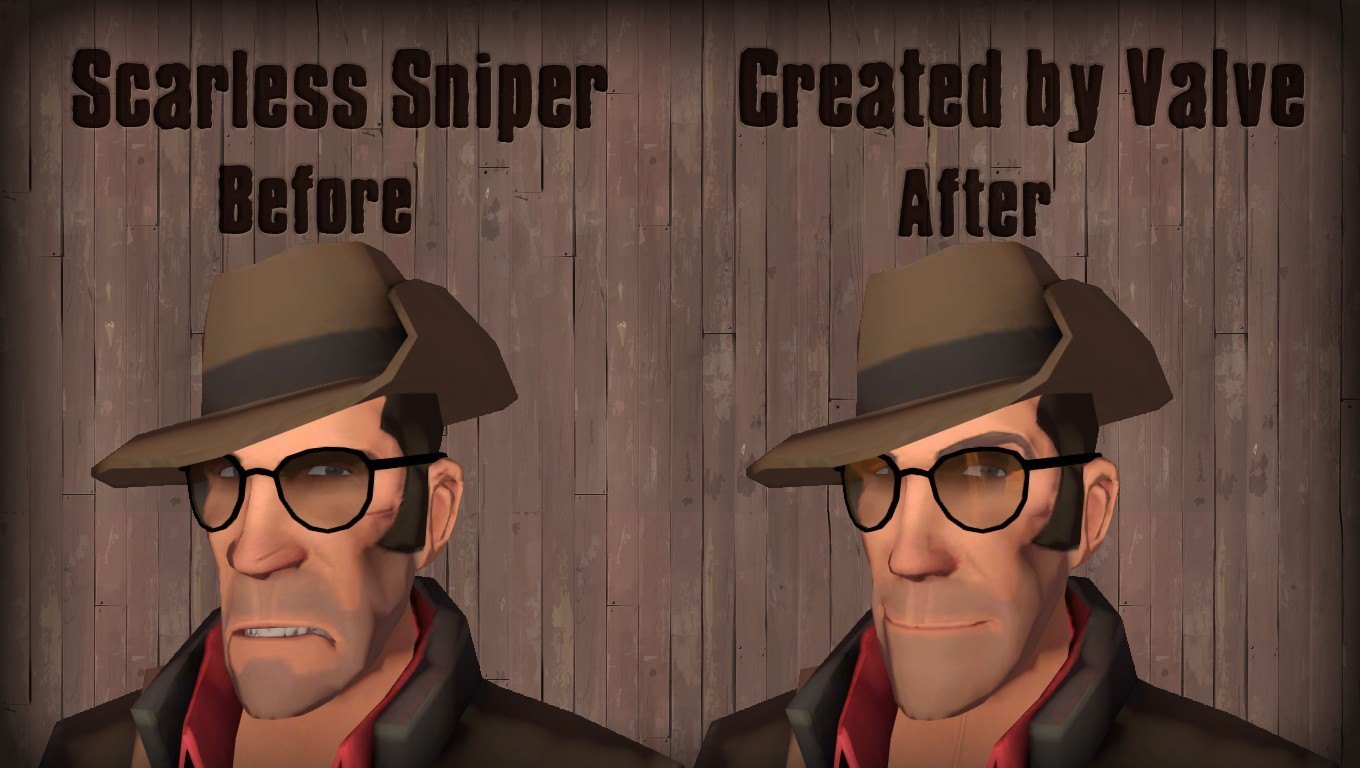
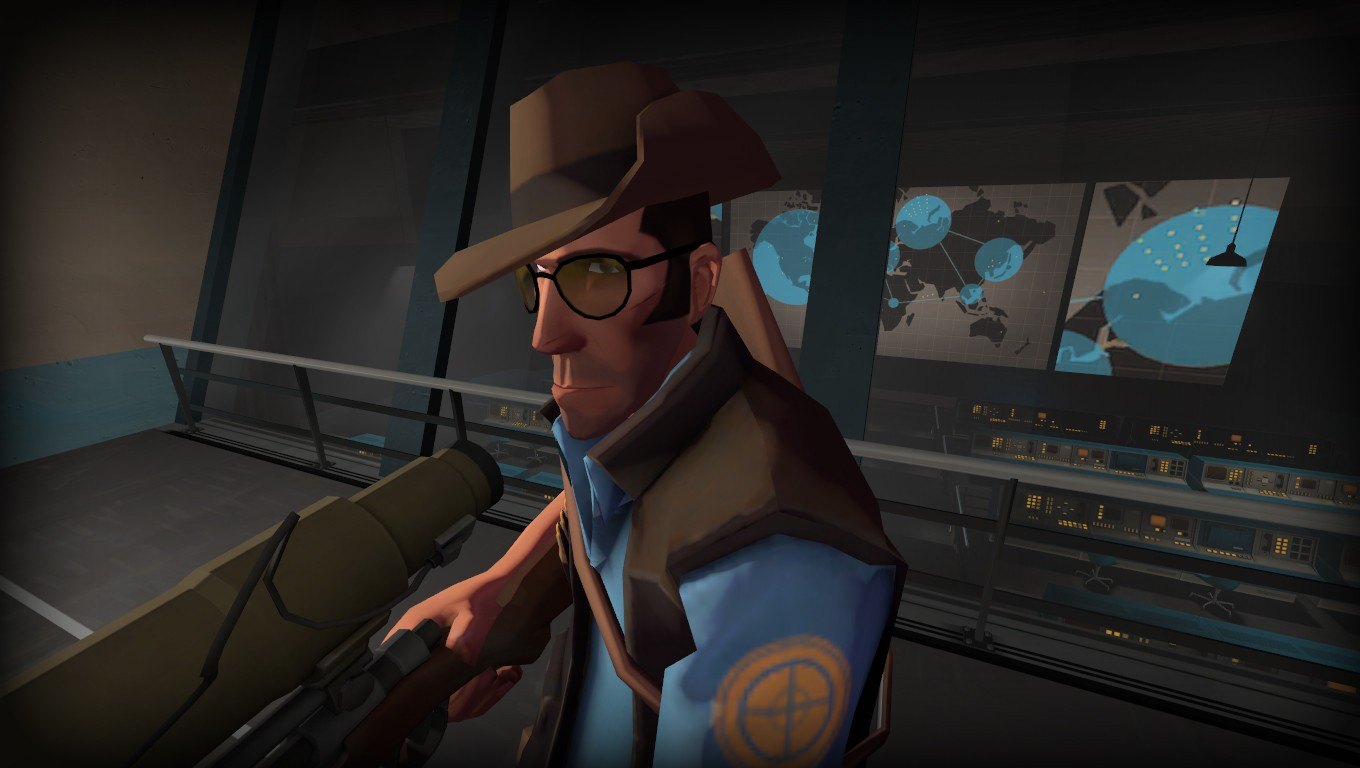
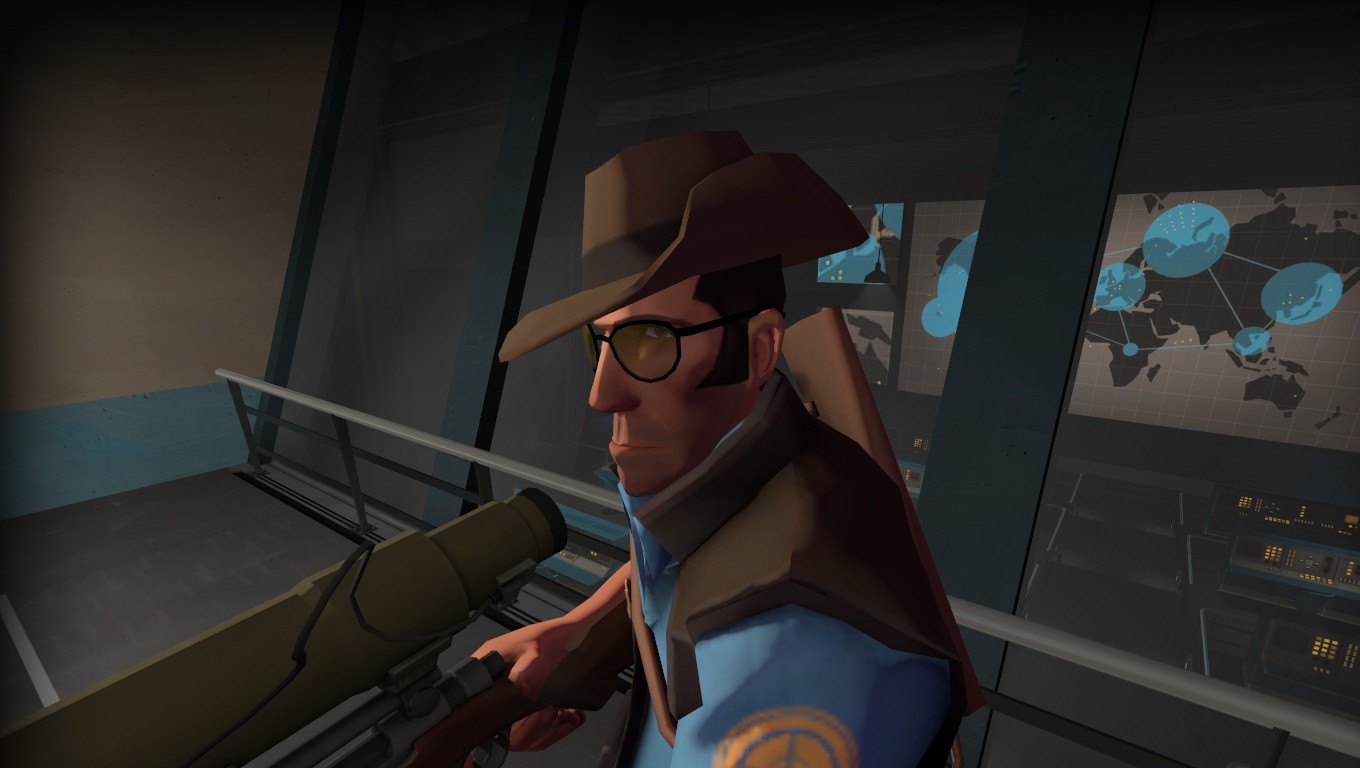
While looking through the files, I found myself in the Sniper's textures. After going through the first time, I didn't notice anything different. After doing a side-by-side comparison of each file from the prerelease, comparing it to the current textures, I discovered that I had in my possession the original "scarless" Sniper's face textures. So I decided to take a look at the HWM textures. Sure enough, I also have the "scarless" HWM textures for the Sniper's head.
A lot of newer TF2 players won't remember this, but before the Sniper -vs- Spy update, the Sniper didn't have a huge ugly scar on his face. After the update, they re-did his face and added that huge scar, and basically got rid of the original scarless textures....until today!
This submission is very small, only containing five files, all of which are 100% scarless:
materials/models/player/sniper/sniper_head.vtf
materials/models/player/sniper/hwm/sniper_head.vtf
materials/models/player/sniper/hwm/sniper_head_compress.vtf
materials/models/player/sniper/hwm/sniper_head_exponent.vtf
materials/models/player/sniper/hwm/sniper_head_stretch.vtf"
I've actually had this skin sitting around waiting to be uploaded here for quite some time, and I really should've uploaded it sooner, but here it is!
Installation Instructions
1. Navigate to C:\Program Files\Steam\steamapps\common\Team Fortress 2\tf\custom
2. Select the .VPK file, and drag it into the "custom" folder.
And you're done!
Share:
Keywords:
Добавить комментарий
Upload
 Add submission