Добавил: The DSystem 2016-04-10 04:46:03 118 views Team Fortress 2
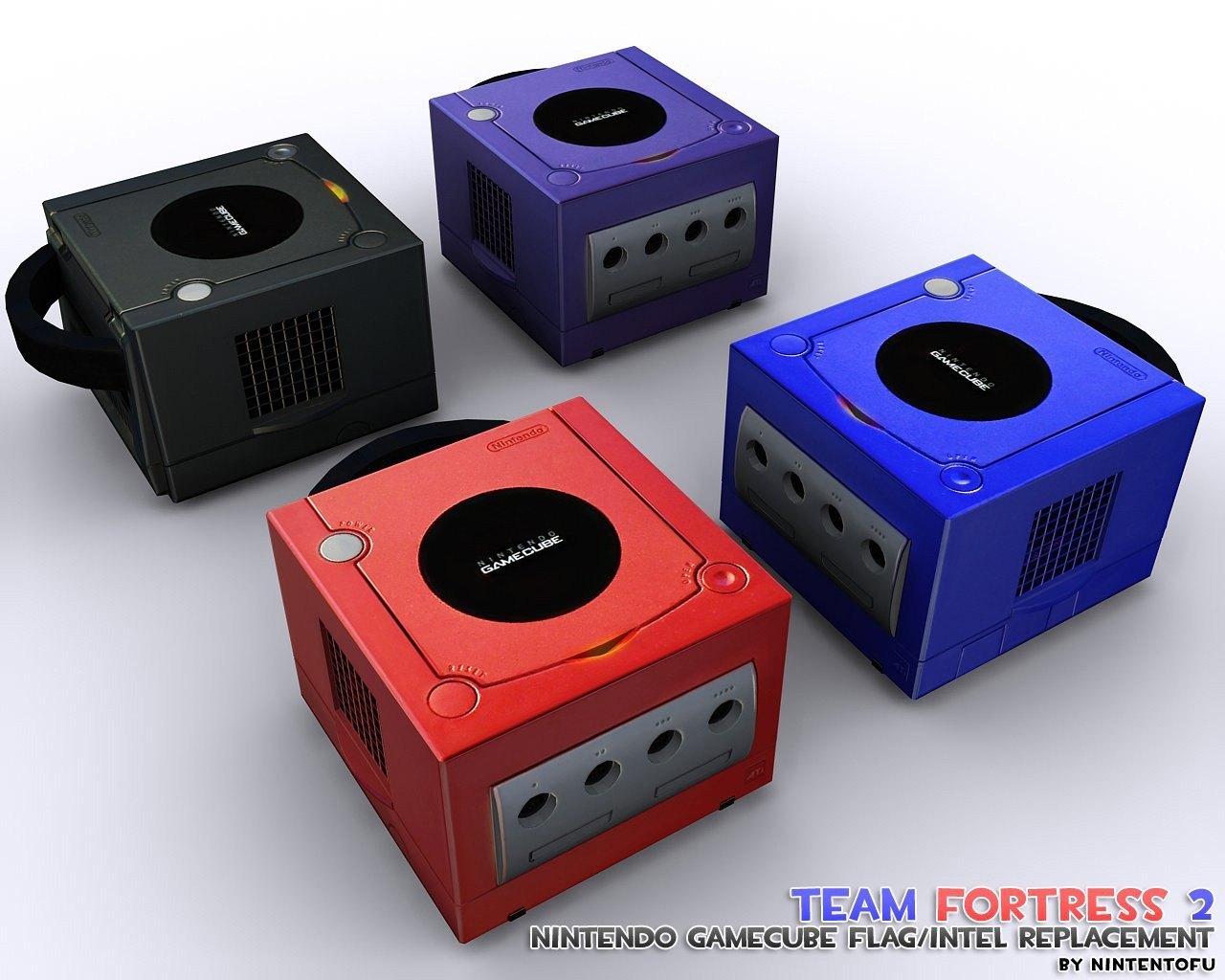
Nintendo Gamecube
Intelligence / Flag Replacement
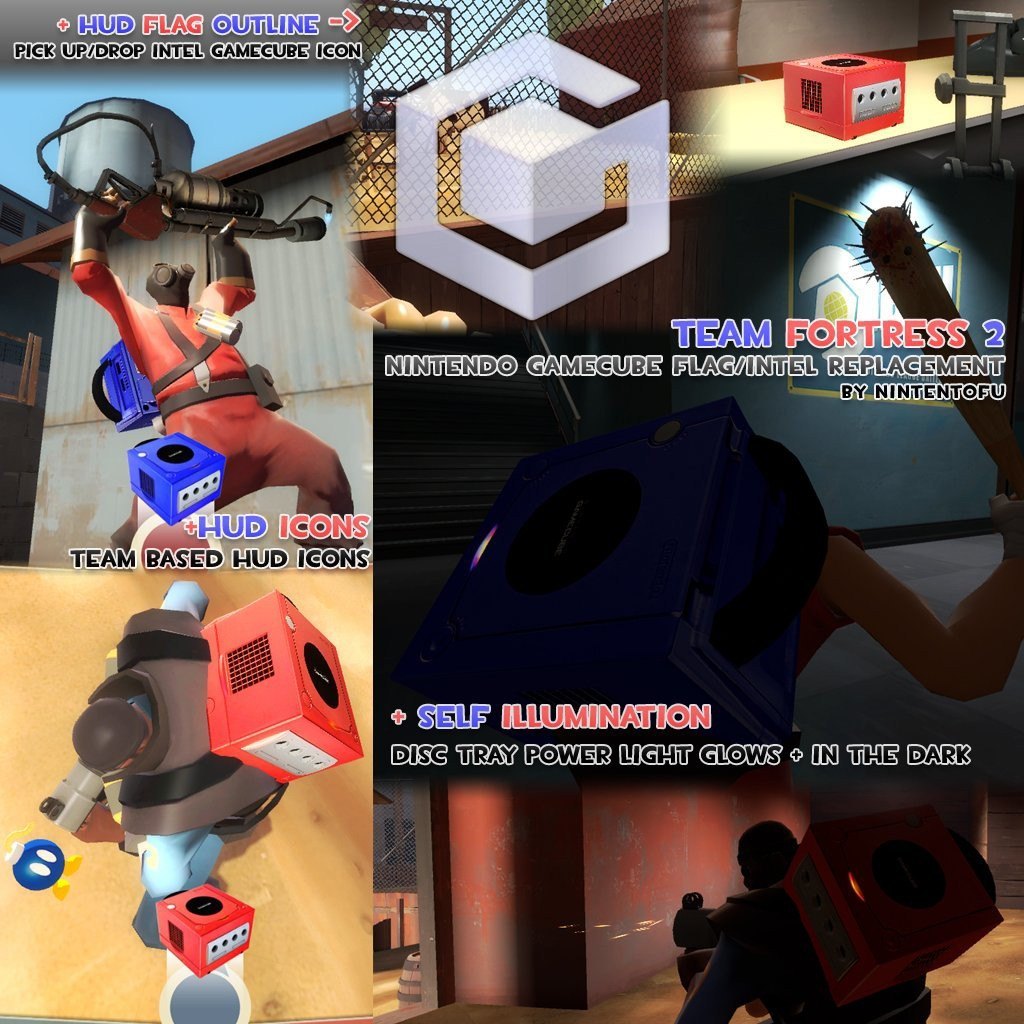
- Includes Custom HUD Icons
Intel Pickup / Drop Flash Outline IconNES Cartridge "Briefcase Locater" Icon
NES Console Intel "In Possesion" Icon
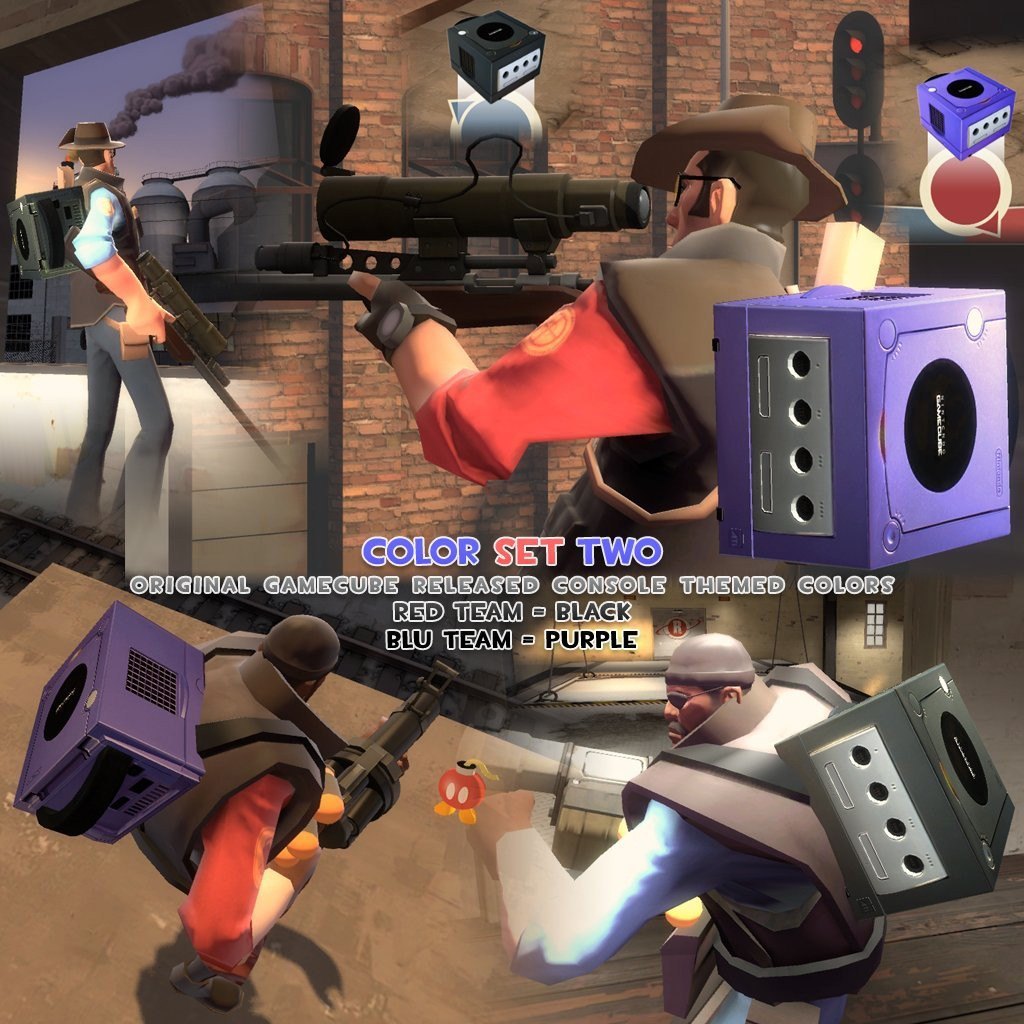
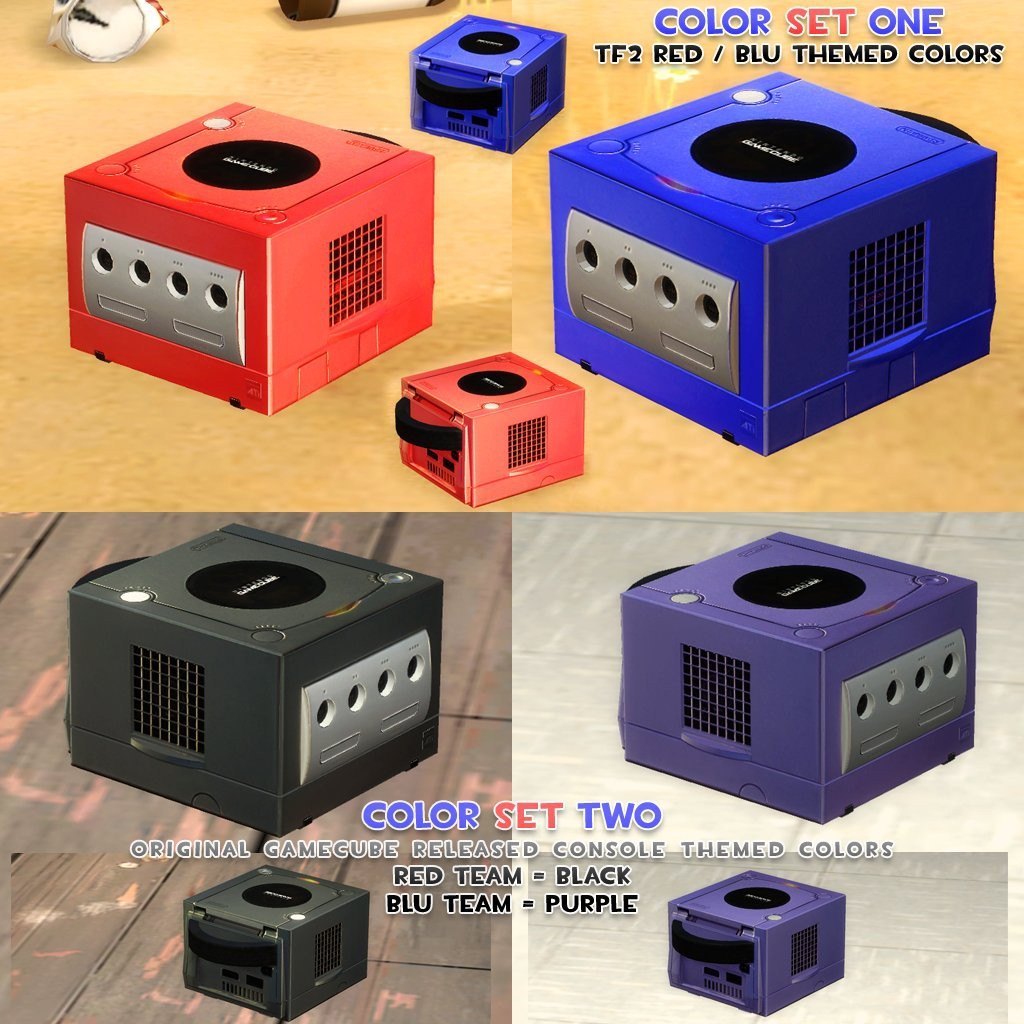
Comes in Two Different Color Theme Versions
Team Fortress 2 Colors - (Red and Blue)
& Original Gamecube Console Colors - (Black and Purple)
Additional Screenshots
Nintendo Gamecube TF2 Intel Replacement Nintendo Gamecube TF2 Intel Replacement
Nintendo Gamecube TF2 Intel Replacement Nintendo Gamecube TF2 Intel Replacement
INSTALLATION
(1) Download, Unzip, Choose a color set.. (below)
Color Set One = TF2 Themed Colors
( Red and Blue Gamecubes )
Color Set Two = Original Gamecube Console Themed Colors
( Black and Purple Gamecubes ) )
(2) Open the folder for the color set choice, then copy the 'Materials' and 'Models' folder inside.
(3) Paste the 'Materials' and 'Models' folders into your 'TF' directory.
(example directory location)
C:\Program Files\Steam\SteamApps\STEAM_ID\team fortress 2\tf\
You are done installing. Enjoy! ; )
TF2 Nintendo Gamecube Intel by Nintentofu
& Team Fortress 2 Studios @ FPSBanana.com
*Need help installing or have any questions? Feel free to PM or Message me!
Keywords: |  Add submission