Добавил: The DSystem 2016-04-10 01:12:19 167 views No more bad hair '-'
"Enabling Data Files"
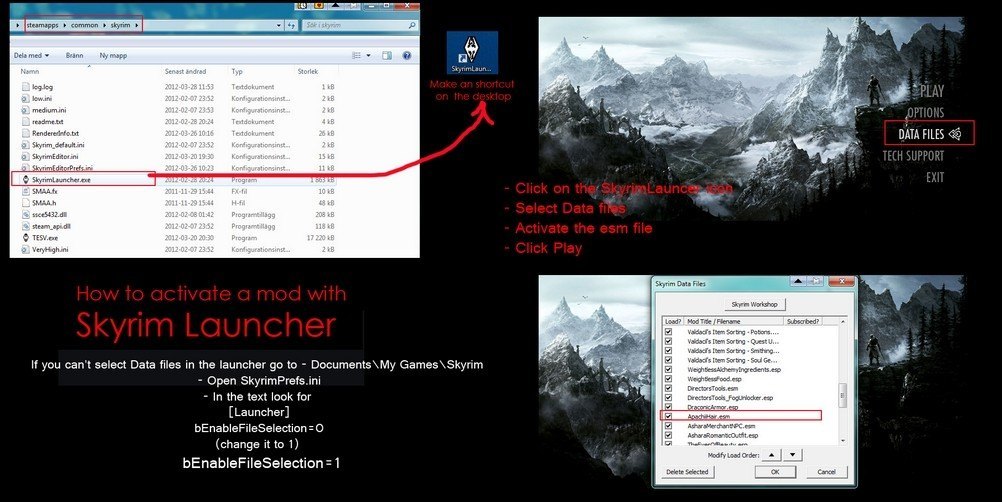
go to Documents / My Games / Skyrim / SkyrimPRef next search for [Launcher]
and paste it below
bEnableFileSelection = 1
to Activate Your Data Files If You Pirate '-'
===================
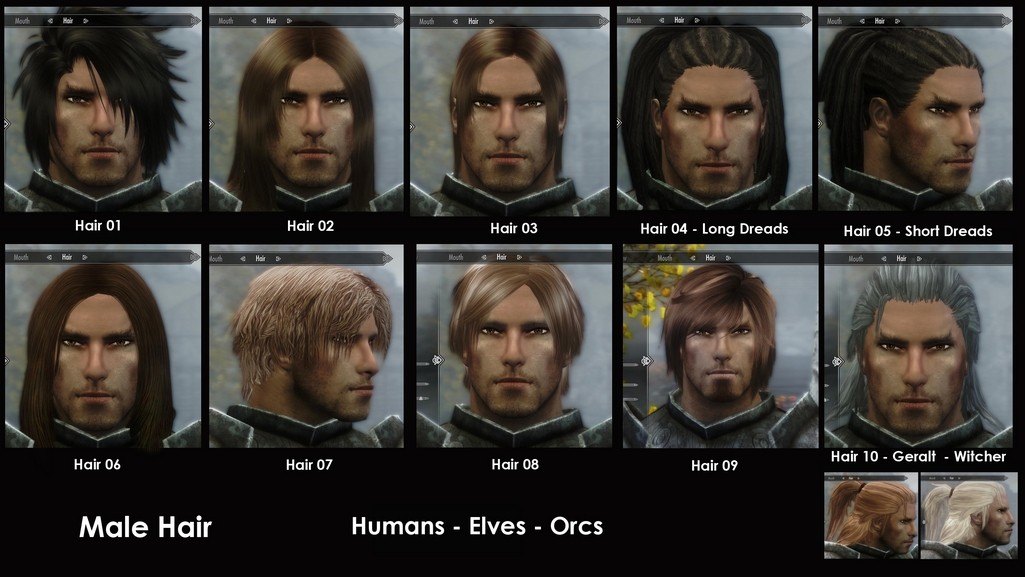
Apachii Sky hairs
================
Installlllllllllllllllllll
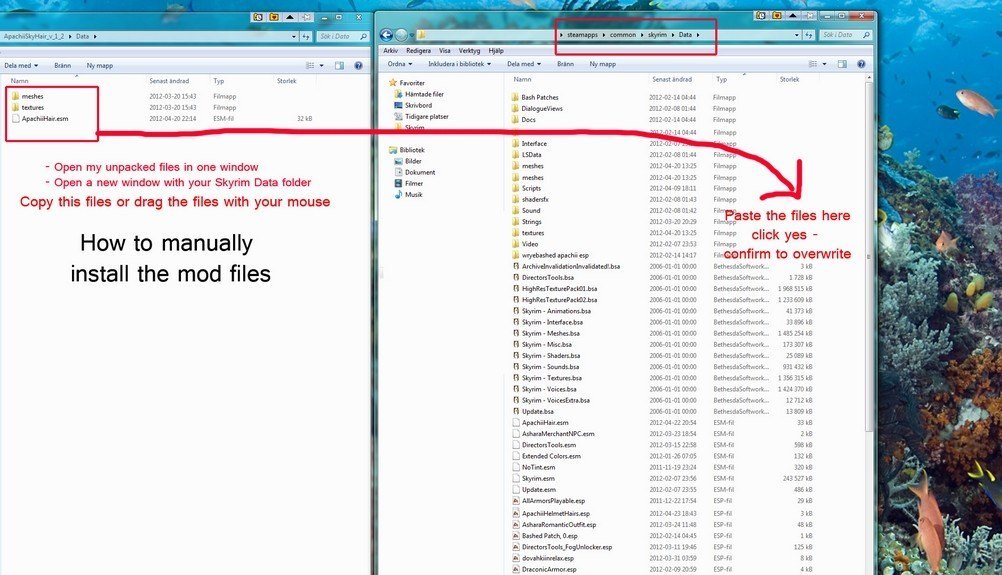
= extract everything in the folder Skyrim / Data
= and then only open the Lausher Skyrim
= and Activate the "DATA FILES"
= I will post two images to see if more is Easy
= Skyrim is if your already have the Pirate Tutorial on image to enable you DATA FILES
================
Uninstallation:
- Remove ApachiiSkyHair.ESM from your Data folder
- Remove from Data\meshes\actors\character\character assets\hair\ the folder - apachii
- Remove from Data\textures\actors\character\hair\ the folder - apachii
Keywords: |  Add submission